 Interval Versions




Choose a Project
Community Climate Action: Annual Community Survey is used by 0 projects across your organisations.

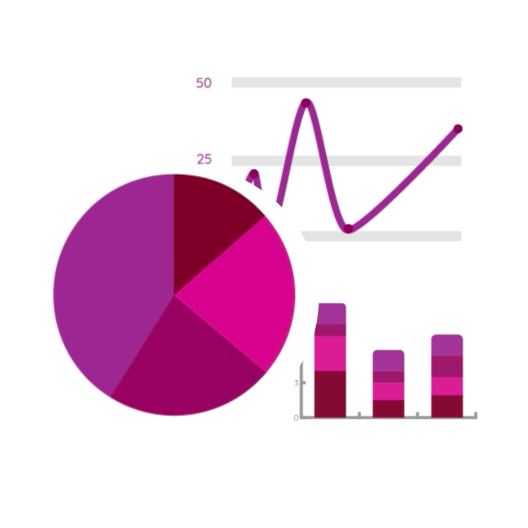
Explore bar charts, pie charts and outcome rings. Download graphs, export raw results and see tabulated responses to each question.
Understand how people’s answers change over time. Browse a table showing a row for each respondent and a column for each question time a question has been answered.
See the scores and verdicts from survey responses over time. See whose improved, worsened or stayed the same and the mean averages.
About
| Uploaded by: | Makerble Templates |
Once a year, distributed widely beyond participants: awareness, key behaviours, attitudes and perceptions of the local environment.
Similar Surveys
-
<div>The Berkman-Syme Social Network Index (SNI) is a self-reported questionnaire for u...
-
<div>The Changes in Outlook Questionnaire (CiOQ) is a 26-item self-report instrument. I...
-
<div>The Samaritan Counselling Centre Brief Adult Outcome Questionnaire is used to asse...
Section – Awareness and Engagement
Section – Key Behaviours
Q1.
Mode Share Change (single choice)
For local journeys (under 5 miles), how do you usually travel?
| Always drive | Usually drive | About half and half | Usually walk or cycle | Always walk or cycle |
Dropdown List used: Mode Share Change - 5 options
Q2.
Meat and Dairy Consumption (single choice)
How would you describe your current diet?
| Meat every day | Meat most days | Meat a few times a week | Flexitarian (meat occasionally) | Vegetarian | Vegan |
Dropdown List used: Meat and Dairy Consumption - 6 options
Q3.
Growing Own Food (single choice)
Are you currently growing any of your own food?
| Yes | No |
Dropdown List used: Yes / No - 2 options
Section – Knowledge and Attitudes
Q4.
Climate Knowledge Score
Climate knowledge quiz score (0 to 5)
Q5.
Personal Agency (single choice)
How much do you feel your actions can make a real difference to climate and environmental outcomes?
| 1, Not at all | 2 | 3 | 4 | 5 | 6 | 7 | 8 | 9 | 10, Completely |
Dropdown List used: Scale - Low to High - 10 options
Q6.
Community Agency (single choice)
How much do you feel that your community, acting together, can make a real difference?
| 1, Not at all | 2 | 3 | 4 | 5 | 6 | 7 | 8 | 9 | 10, Completely |
Dropdown List used: Scale - Low to High - 10 options
Q7.
Hope About Climate Action (single choice)
How hopeful do you feel that action on climate change can make a difference?
| 1, Not at all | 2 | 3 | 4 | 5 | 6 | 7 | 8 | 9 | 10, Completely |
Dropdown List used: Scale - Low to High - 10 options
Section – Local Environment
Q8.
Satisfaction with Local Green Space (single choice)
How satisfied are you with the quality and accessibility of green space in your local area?
| 1, Not at all | 2 | 3 | 4 | 5 | 6 | 7 | 8 | 9 | 10, Completely |
Dropdown List used: Scale - Low to High - 10 options
Q9.
Biodiversity Noticed (single choice)
How much wildlife and biodiversity do you notice in your local area?
| 1, Not at all | 2 | 3 | 4 | 5 | 6 | 7 | 8 | 9 | 10, Completely |
Dropdown List used: Scale - Low to High - 10 options
Q10.
Community Satisfaction with Environment (single choice)
How would you rate the quality of your local natural environment?
| 1, Not at all | 2 | 3 | 4 | 5 | 6 | 7 | 8 | 9 | 10, Completely |
Dropdown List used: Scale - Low to High - 10 options
Section – About You
Q11.
Postcode (Ward)
This question will appear once within your story or survey response.
Collect survey responses

360°
 360°

Universal
 Universal

Tracked
 Tracked

Anonymised
Anonymised

Import
 Import

API
 API

Filled in by a Colleague: 1 contact at a time
Filled in by a Colleague: 1 contact at a time

Filled in by a Colleague: Several at once
 Filled in by a Colleague: Several at once

Filled in by a Colleague: Manual Headcount
 Filled in by a Colleague: Manual Headcount

Universal Manual Headcount
 Universal Manual Headcount

Multi-stage
 Multi-stage

Branded Portal
 Branded Portal

Automation
 Automation

360° Assessment
360° Assessment