 Interval Versions




Choose a Project
Substance Misuse Recovery and Treatment: Baseline Assessment is used by 0 projects across your organisations.

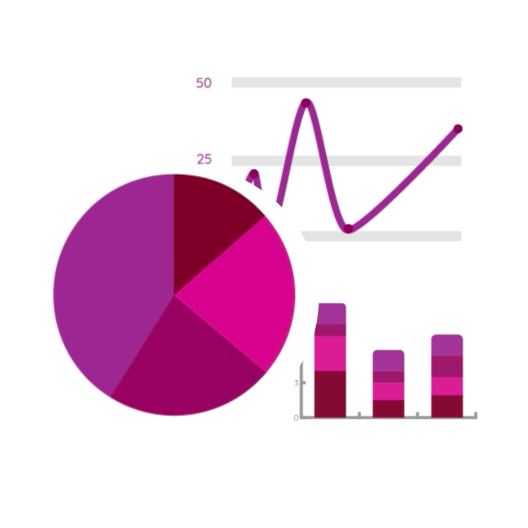
Explore bar charts, pie charts and outcome rings. Download graphs, export raw results and see tabulated responses to each question.
Understand how people’s answers change over time. Browse a table showing a row for each respondent and a column for each question time a question has been answered.
See the scores and verdicts from survey responses over time. See whose improved, worsened or stayed the same and the mean averages.
About
| Uploaded by: | Makerble Templates |
At treatment start: substance use, health, housing, work, support, recovery goals, wellbeing and recovery capital.
Similar Surveys
-
use this when evaluating (XYSZ c=kidn of project)
-
<div>The Rosenberg Self-Esteem Scale is a 10-item self-report measure of global self-es...
-
<div>This scale measures individual subjective feelings of loneliness and social isolat...
Section – Substance Use
Q1.
Frequency of Use (single choice)
How often have you used in the last 28 days?
| Daily | Weekly | Monthly | Occasionally | Abstinent |
Dropdown List used: Frequency of use - 5 options
Q2.
Route of Use (single choice)
Main route of use
| Injecting | Smoking | Snorting | Oral | Not applicable |
Dropdown List used: Route of Use - 5 options
Q3.
Days Abstinent in Last 28 Days
How many of the last 28 days were you abstinent?
Section – Health and Circumstances
Q4.
Physical Health (single choice)
How would you rate your physical health right now?
| 1 | 2 | 3 | 4 | 5 | 6 | 7 | 8 | 9 | 10 |
Dropdown List used: Physical Health
Q5.
Mental Wellbeing (single choice)
How would you rate your mental health and wellbeing right now?
| 1 | 2 | 3 | 4 | 5 | 6 | 7 | 8 | 9 | 10 |
Dropdown List used: Physical Health
Q6.
In Stable Housing (single choice)
Is your housing stable?
| Yes | No |
Dropdown List used: Yes / No - 2 options
Q7.
In Work, Training or Volunteering (single choice)
Are you in work, training or volunteering?
| Yes | No |
Dropdown List used: Yes / No - 2 options
Q8.
Has a Recovery Support Network (single choice)
Do you have people who support your recovery?
| Yes | No |
Dropdown List used: Yes / No - 2 options
Section – Your Recovery
Q9.
Recovery goals (Text)
This question will appear once within your story or survey response.
Q10.
Feels Hopeful About Recovery (single choice)
How hopeful do you feel about your recovery?
| 1, Not at all | 2 | 3 | 4 | 5 | 6 | 7 | 8 | 9 | 10, Completely |
Dropdown List used: Scale - Low to High - 10 options
Q11.
Understands Own Triggers (single choice)
How well do you understand your own triggers?
| 1, Not at all | 2 | 3 | 4 | 5 | 6 | 7 | 8 | 9 | 10, Completely |
Dropdown List used: Scale - Low to High - 10 options
Q12.
Cravings Manageable (single choice)
How manageable are your cravings? (1 = not at all, 10 = completely)
| 1, Not at all | 2 | 3 | 4 | 5 | 6 | 7 | 8 | 9 | 10, Completely |
Dropdown List used: Scale - Low to High - 10 options
Q13.
Motivation for Recovery (single choice)
How motivated do you feel about your recovery?
| 1, Not at all | 2 | 3 | 4 | 5 | 6 | 7 | 8 | 9 | 10, Completely |
Dropdown List used: Scale - Low to High - 10 options
Q14.
Coping Skills in Recovery (single choice)
How well can you cope with difficult situations without using?
| 1, Not at all | 2 | 3 | 4 | 5 | 6 | 7 | 8 | 9 | 10, Completely |
Dropdown List used: Scale - Low to High - 10 options
Q15.
Self-Efficacy in Recovery (single choice)
How strongly do you agree: "I can manage my recovery"?
| 1, Not at all | 2 | 3 | 4 | 5 | 6 | 7 | 8 | 9 | 10, Completely |
Dropdown List used: Scale - Low to High - 10 options
Section – Wellbeing
Q16.
Quality of Life (single choice)
How would you rate your overall quality of life?
| 1, Not at all | 2 | 3 | 4 | 5 | 6 | 7 | 8 | 9 | 10, Completely |
Dropdown List used: Scale - Low to High - 10 options
Q17.
Hope for the Future (single choice)
How hopeful do you feel about your future?
| 1 | 2 | 3 | 4 | 5 | 6 | 7 | 8 | 9 | 10 |
Dropdown List used: Physical Health Perception
Collect survey responses

360°
 360°

Universal
 Universal

Tracked
 Tracked

Anonymised
Anonymised

Import
 Import

API
 API

Filled in by a Colleague: 1 contact at a time
Filled in by a Colleague: 1 contact at a time

Filled in by a Colleague: Several at once
 Filled in by a Colleague: Several at once

Filled in by a Colleague: Manual Headcount
 Filled in by a Colleague: Manual Headcount

Universal Manual Headcount
 Universal Manual Headcount

Multi-stage
 Multi-stage

Branded Portal
 Branded Portal

Automation
 Automation

360° Assessment
360° Assessment